File content is handled on-device
Vault creation, opening and export run on the Mac.
B-Safe collects files, folders and secure notes in BSAR v11-based .bs vaults. It combines password protection, integrity verification, history, recovery and controlled export in one macOS app.
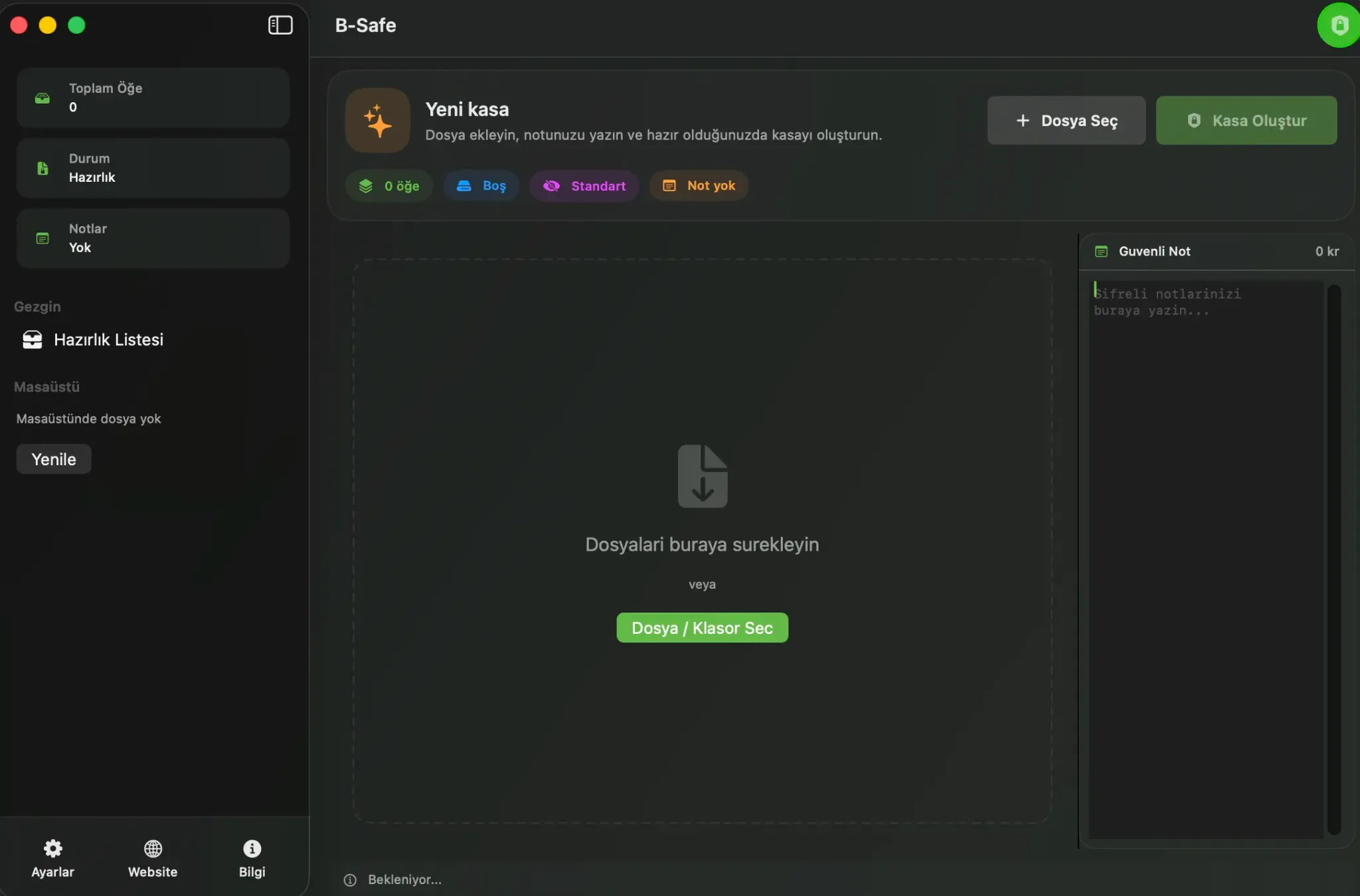
Stage files, seal them, open them and recover interrupted work when needed.
Vault creation, opening and export run on the Mac.
The v11 format uses AES-256-GCM, HMAC-SHA512 and Argon2id.
Metadata cleanup and usage-data sharing stay under user control.
Version 2.2 focuses on .bs file association, Finder double-click opening, large-vault search/filter performance and consistent Turkish and English UI.
.bs files are associated with B-Safe and can be opened by double-clicking in Finder.
Manifest and integrity checks can retry safely after a failed verification.
Search, filtering and preview preparation do less work on the main interface.
Fallback text, pluralization and accessibility metadata were strengthened.
Review the core B-Safe workflow through real application screens.
Add files, folders and secure notes to the staging area.
B-Safe is not a general archive manager; it is a privacy-focused macOS app built around .bs vaults.
Signed PDFs, invoices, reports and personal paperwork can live in one controlled vault.
Deliverables, briefs, proposals and team notes are easier to package and revisit.
A safer staging area for users who want to review metadata before sharing.
ID copies, backup notes and rarely opened sensitive files get a dedicated place on the Mac.
Vault creation, history, metadata review and controlled preview screens together.
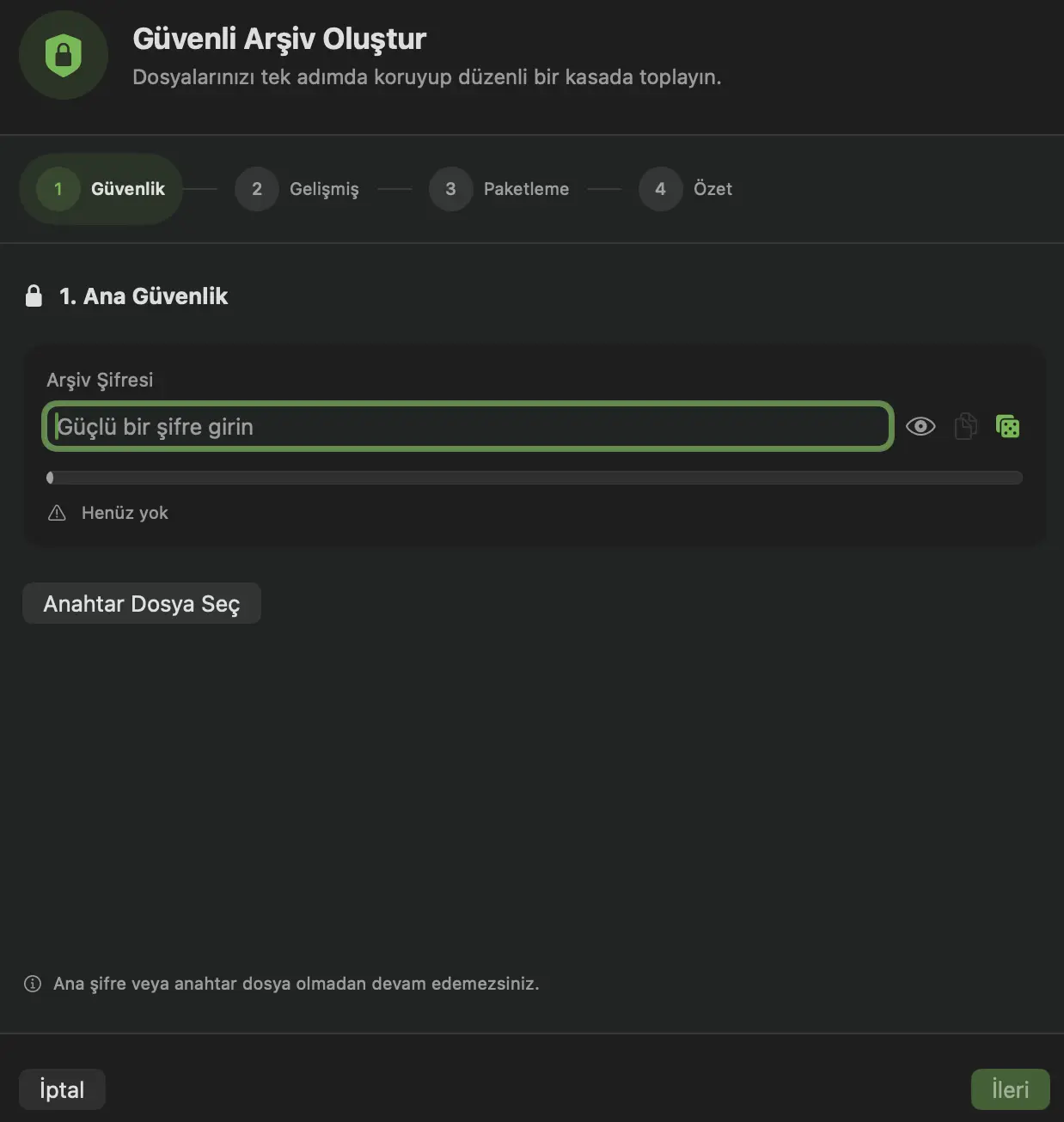
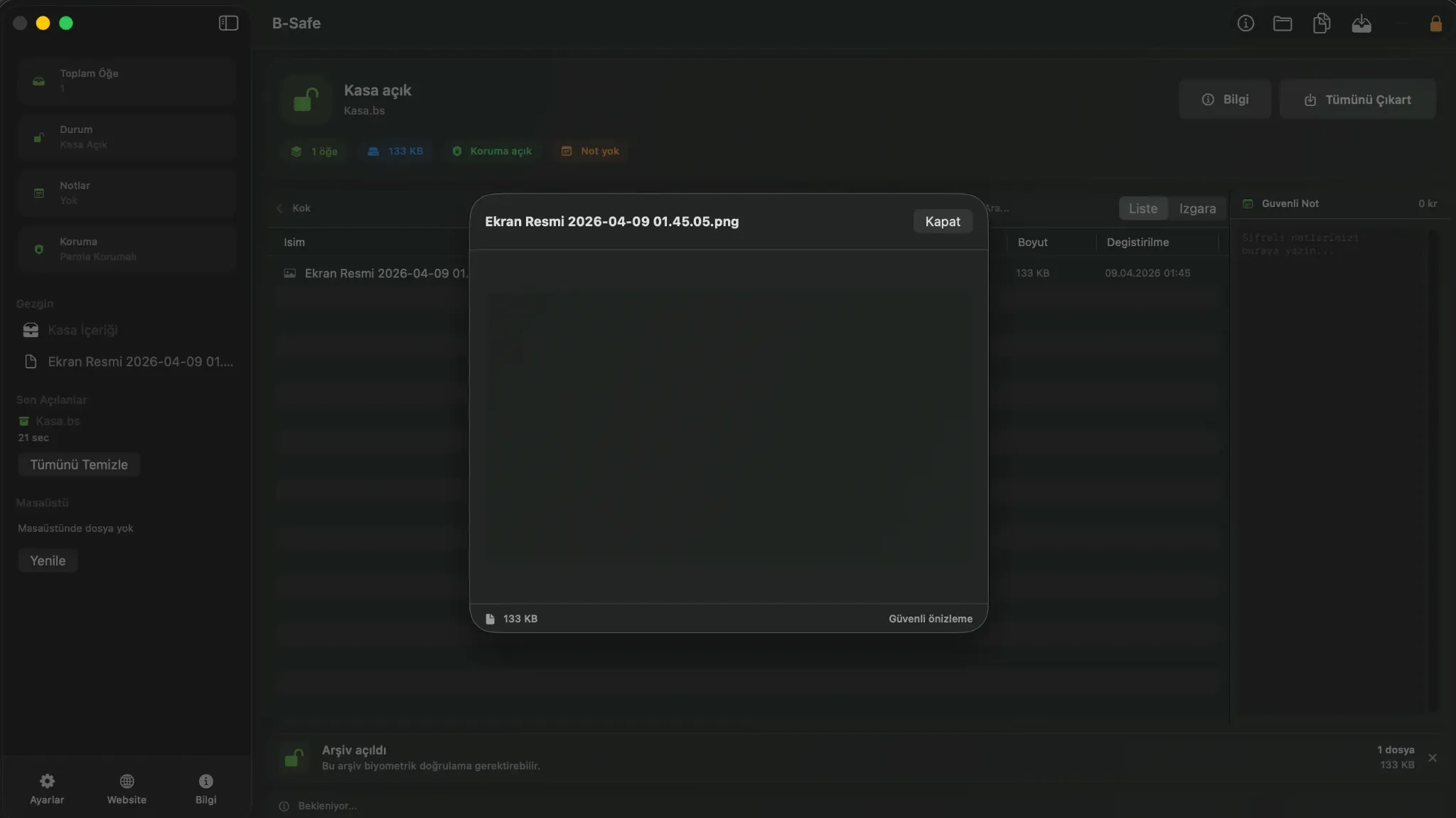
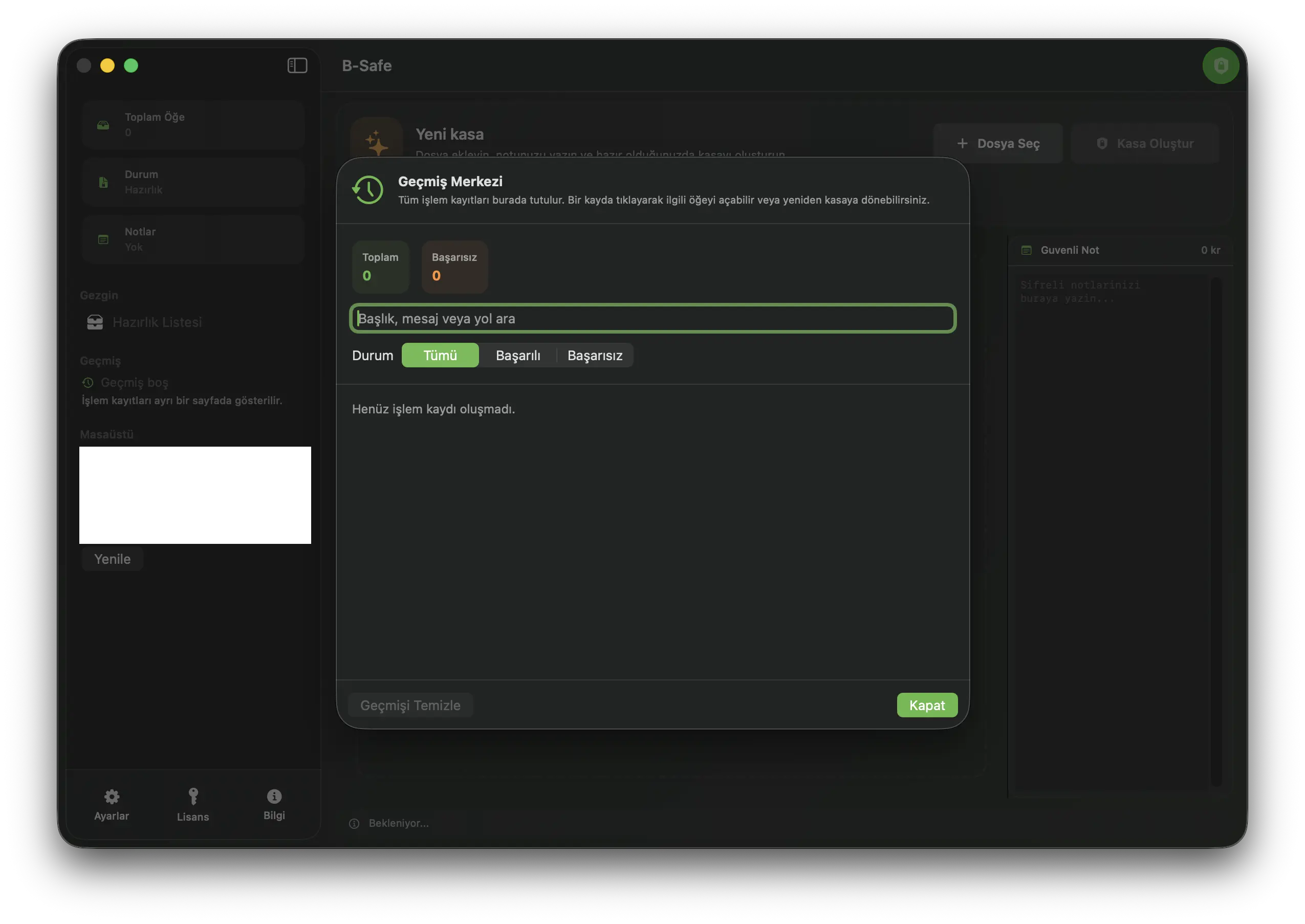
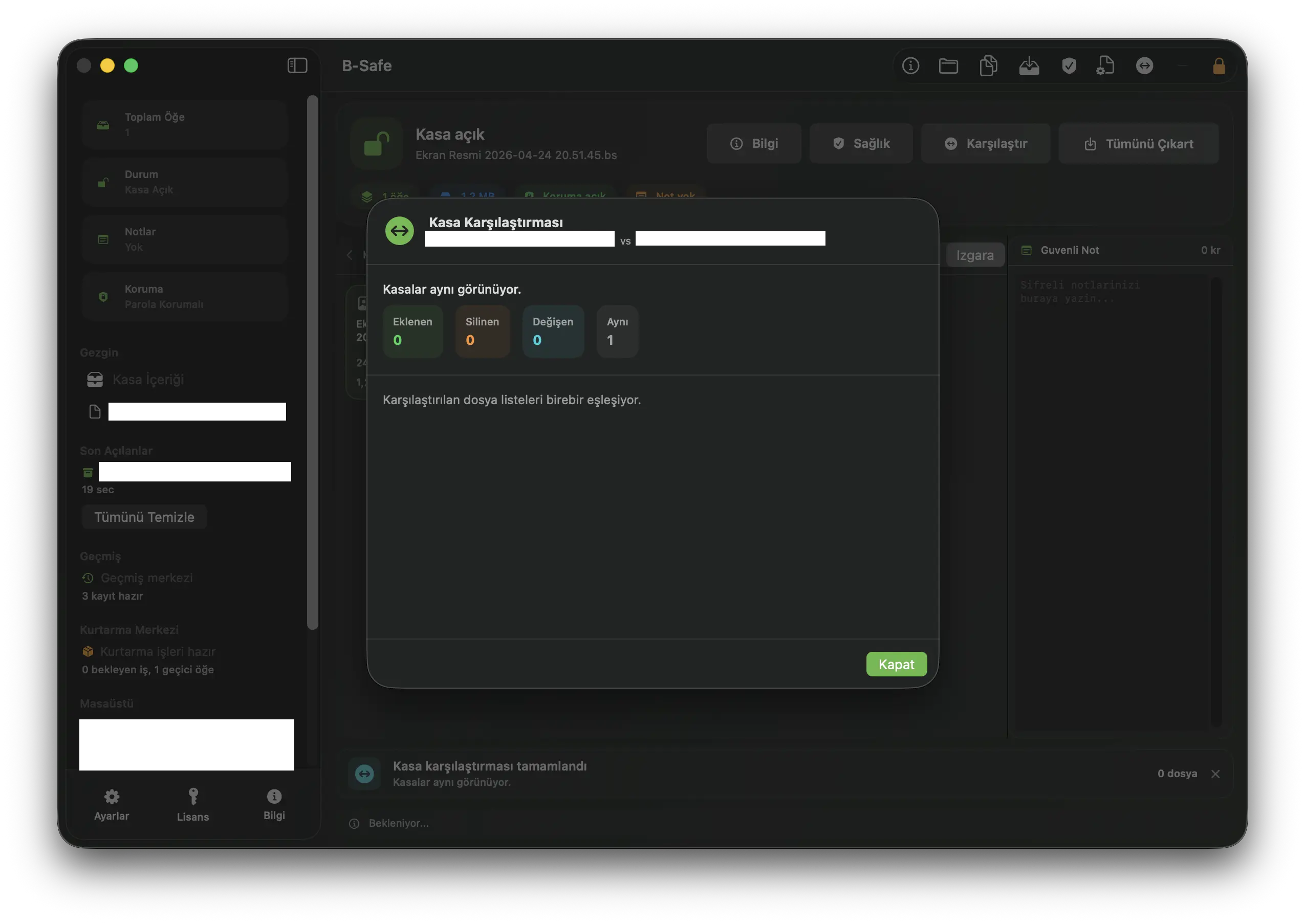
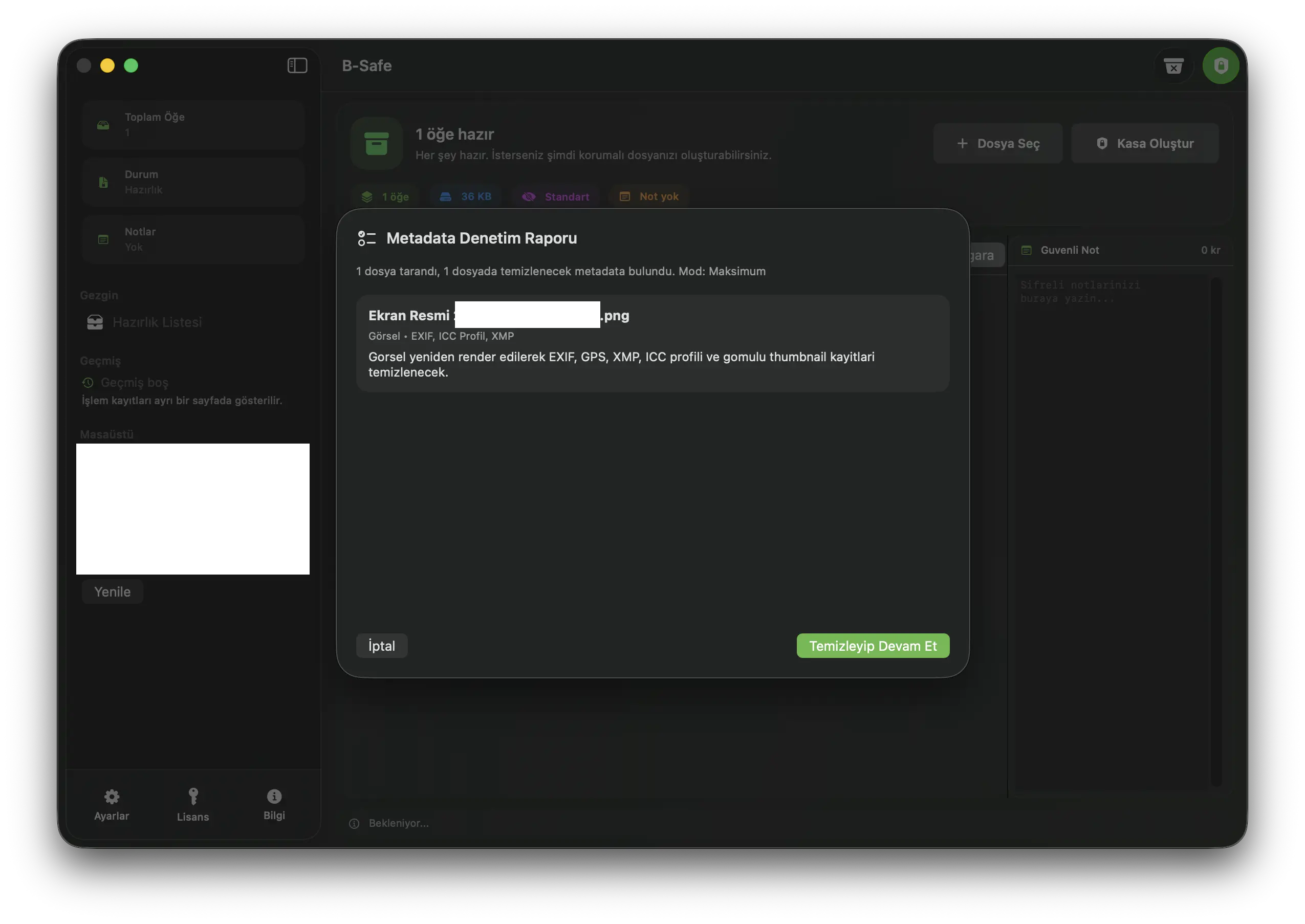
Vault, verification, recovery and macOS integrations present in the current codebase.
Derives keys with Argon2id, encrypts content with AES-256-GCM and verifies it with HMAC-SHA512.
Supports secure notes, password hints, expiration, compression, batch vaults and JPEG/PNG carrier images.
Lists and searches vault content, then exports one item or the full vault to a validated destination.
Runs manifest/integrity checks, exports reports and compares added, removed and changed items across two vaults.
Keeps operation history and requeues failed or interrupted packaging, opening and export jobs.
Hidden sections, keyfiles, Touch ID/auto-lock, metadata cleanup and controlled preview require Pro.
This split is derived from the ProFeature checks and user workflows in B-Safe 2.2.
| Feature | Free | Pro | Details |
|---|---|---|---|
| Password-protected .bs vaults | Included | Included | Creation, opening, integrity checks and export |
| Notes, expiration, batch and carrier images | Included | Included | Core packaging options are free |
| History, recovery, health and comparison | Included | Included | Continuity and verification tools are not Pro |
| Hidden sections and keyfiles | Not included | Included | Additional access layers when creating new vaults |
| Touch ID and auto-lock | Not included | Included | Biometric access and background locking |
| Metadata cleanup and controlled preview | Not included | Included | Sharing hygiene and preview without normal export |
If a Pro license expires, B-Safe still allows access to existing hidden-section, keyfile or Touch ID vaults so users are not locked out of their own data. Creating new Pro-enabled vaults still requires Pro.
This DMG contains version 2.2 build 4. It is universal and ad-hoc signed; macOS Gatekeeper may warn because Developer ID signing, notarization and stapling are not complete.
73809b9cb865e671cc08c1555404a12e95034cddb5d3db23f911ba204b9a4853
Build 4 · macOS 15.0 or later
BSAR · AES-256-GCM · Argon2id
4 GiB per file · 32 GiB total
Ad-hoc signed, not notarized
Free includes vault creation/opening, secure notes, expiration, batch vaults, carrier images, history, recovery, health checks and comparison.
For users who want to create, open and manage password-protected .bs vaults.
The core vault, verification, history and recovery workflows work without purchasing a license.
For users who need additional access and sharing privacy while creating vaults.
Unlocks the five features marked Pro in the code without moving core health and recovery tools behind a paywall.
Pro only unlocks hidden-section creation, keyfiles, Touch ID/auto-lock, metadata cleanup and controlled secure preview. Checkout runs on Shopier, so card details never reach the B-Safe server.
Security claims, release status and payment boundaries are documented openly.
BSAR v11, cryptography, limits and network flows are documented on the technical page.
Open technical detailsSystem requirements, Gatekeeper status and file verification commands are available in the help center.
Open help centerDeveloper ID, notarization and independent security review are not presented as complete before they are done.
Open roadmapShopier processes card data; B-Safe receives only the order data needed for license delivery.
Open purchase pageTry the core workflow with the B-Safe 2.2 beta or purchase Pro through Shopier.
It stores files and folders in .bs vaults. Images, PDFs, videos, office documents, text/code and other normal files can be added; the app is not a general ZIP/RAR manager.
Vault content is handled on-device during creation, opening and export. Network access is used for licensing, device-block checks, Sparkle updates and opt-in pseudonymous usage data; vault content is not sent in those flows.
You can create and open password-protected .bs vaults and use secure notes, expiration, batch vaults, carrier images, history, recovery, health checks, comparison and export.
Pro is required when creating new vaults with hidden sections, keyfiles, Touch ID/auto-lock, metadata audit and cleanup, or controlled secure preview.
B-Safe preserves access to existing vaults that use hidden sections, keyfiles or Touch ID. Creating new Pro-enabled vaults, metadata cleanup and controlled preview still require an active Pro license.
The current 2.2 DMG is ad-hoc signed and is not notarized or stapled. Until the Developer ID release chain is complete, Gatekeeper cannot verify it like a normal public release.
It reports supported image, PDF, MOV/MP4/M4V and DOCX/XLSX/PPTX metadata before packaging; Pro can apply balanced or maximum cleanup.
Open the purchase page and continue to the Shopier product. After the signed order notification is verified, the license is emailed to the order address and can also be retrieved with the Shopier order number and email.
Send a message if you want details about the product, pricing or team usage.
Your message is received securely and only the information needed to respond is requested.